Icebreakers is an instrument to invite other website users to start a communication with you. Such first messages and letters should be neutral and not personalized.
Before you can send your Icebreakers to other users, all your messages and letters will be checked by the Moderation Team.
There are two types of Icebreakers:
- Icebreakers by mood (for chat)
- Icebreakers for mail
How to create a new Icebreaker?
1. Click Create New tab as shown on a screenshot below.
2. Choose the preferred type, Chat or Mail and add your message to the text field.
3. If you select Chat Icebreakers option, it is necessary to select a mood for your Icebreaker. You can select multiple moods simultaneously.
4. Select who will receive your icebreaker
5. Click the Send for Moderation button to send your Icebreaker to moderation.
Suggested Moods
If the selected mood doesn't match your message content, the Moderation Team may suggest a more appropriate mood using the Suggested Moods feature.
How does it work?
In the Create New → Suggested Moods tab, you’ll find all the messages where the selected mood doesn’t align with the text. You’ll have the option to accept or decline the mood suggestions provided by the Moderation Team:
- Assign New Moods: Clicking this button will approve the text with the suggested moods, and it can then be activated for delivery in the Launch tab.
- Reject New Moods: Clicking this button will reject the message. Rejected messages will appear in the Create New → Declined tab. Keep in mind that rejected texts cannot be resubmitted for moderation.
How to activate or stop an Icebreaker?
To start a mass delivery of a message, please open Launch → Set Up Sending tab. Here you can see two fields:
- Set up Icebreakers for mail
- Set up Icebreakers for chat
1. Icebreakers for mail. To set up a mail Icebreaker for delivery, select a preferred letter text from the dropdown list in the Set up Icebreakers for mail field and click the Launch button to activate the service.
2. Icebreakers for chat. To activate the 'Icebreakers by mood' service, in the Set up Icebreakers for chat field, select a preferred message from the list of approved icebreakers and click the Launch button.
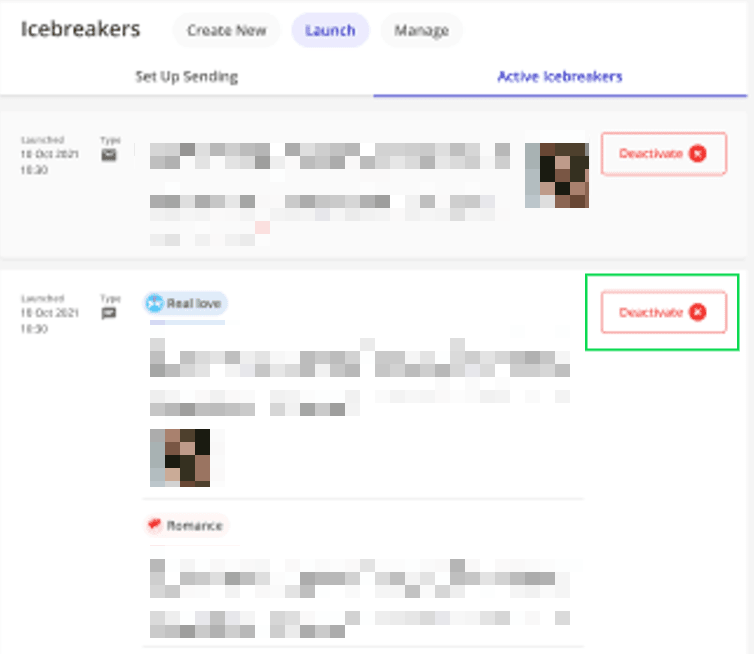
If you want to stop the mass delivery of your Icebreakers, just click the Deactivate button in the Launch → Active Icebreakers tab.
Please notice:
-
Every day, you can send up to 5 Icebreakers to moderation. This count is reset daily, from 00:00 GMT+0 to 00:00 GMT+0 the following day. To track your current icebreakers usage and limits, please check the counter Icebreakers limit usage.
-
If your Icebreakers don't appear in the Launch section within 24 hours of submission for moderation, you can verify their status by checking the Under Moderation and Declined tabs. Your messages will either still be under review or may have been declined.
-
Please note that the moderation of messages may take up to 24 hours after uploading.
How to delete the approved Icebreaker?
To delete any approved icebreaker in the Manage tab, simply click on the Delete button next to the message or letter you want to remove.